Knowledge Assistants Nobody reads the handbook.
So staff ask you. We set up an assistant that answers from your files.So staff ask you. We sort your files and set up an assistant that answers with the page it came from.
- Every file gets one owner
- No answer? It goes to a person
- Built on your own files
14 days’ leave after probation
Staff handbook64 pages

Why they ask
A quarter of the week goes on looking.
The answer is written down. Finding it is the slow part.
New hires ask. Whoever sits nearby answers, or guesses.
The one who knows is away. Everyone waits.
The rule changed in the chat. The file never did.
Every answer you give twice is time you don’t get back.
Atlassian, 12,000 knowledge workers surveyed, 2025, checked 17 Nov 2026.
What we fix first
Three leave policies. The AI reads all three.
The AI is the easy part. It is only as right as the file it reads.
Real questions first. What staff ask decides which files we fix.
One current file per topic. Old copies move out of reach.
An owner for every file. With a date to check it again.
Every file tested. A password-locked file can look ready and still answer nothing (Microsoft).
47 files
- Leave policy v3 FINAL.docx?
- Leave policy (Jason edits).docx
- Leave policy 2024 OLD.pdf
- Copy of Copy of Site visit form.xlsx
- Untitled document (3).docx
Owner: HRChecked
- Leave
- Claims
- Credit notes
- Onboarding
- Safety
- Uniforms
- Rosters
- IT
- Refunds
You answer once, into the file. The repeats stop reaching you.
Microsoft Learn, Copilot Studio, 30 Oct 2026, checked 17 Nov 2026.
Where do your files live? Tell us.
Get StartedWhat staff get
One answer. The page to prove it.
Staff ask in plain words, in the chat they already use.
New hire · Sales
Can corporate clients get 30 days to pay?
Knowledge assistant
Credit terms policy · section 3
Credit terms policy
3. Corporate accounts
Corporate clients may take 30 days to pay once the account is signed and the finance manager approves.
- Inside the tools you have
- The source on every answer
- Says when it doesn’t know
- Uses each person’s own login
- Tested before launch
Built on the tools you already use, such as Slack or WhatsApp.
How it works
Questions first. The AI comes last.
We start with what your staff ask, and finish in the chat they use.
-
1
Collect the questions
A list of what your staff really ask.
-
2
Pick one file each
The current file for each question.
-
3
Connect your folders
Linked where your team edits.
-
4
Test with your team
A trial on their real questions.
-
5
Launch in your chat
Inside the chat your team uses.
Not in the files yet? It goes to the topic’s owner, then into the file.
Is it for you?
Staff asking about files? Start here.
Something else? One of these fits better.
Start here
The answer is in a file- New hires ask for weeks.
- One or two people hold the know-how.
- Answers sit across Drive, SharePoint and Notion.
Five people and ten tidy files? A shared folder may do.
Look elsewhere
A different job- “Has order 4471 shipped?” A live record.Operations Assistants
- Customers ask, not staff.Customer Service AI Assistants
- One job’s paperwork, drafted.Role-Specific AI Assistants
- Reps need the price mid-call.Sales Assistants
Your team
First, someone sorts your files.
With the files sorted, an engineer links your apps and an AI specialist decides where people check answers.
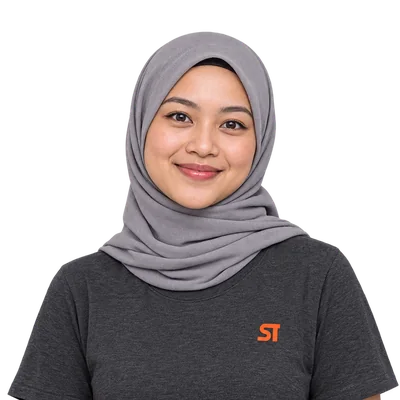
AI specialist.
Sets the points where a person reviews the result.
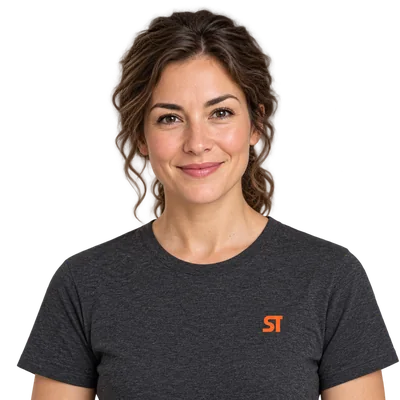
Quality specialist.
Tests normal days and unusual cases.

Integration engineer.
Links your apps through their APIs.

Account manager.
Your one point of contact, from the first call to the work after launch.
- 1We review your details.
- 2We talk it through with you.
- 3We propose a solution.
- We cover operations, visibility, websites and growth with one team.
- The systems, the code and the accounts are yours.
- Priority access to Luna. Partners go to the front of the queue with our AI assistant.
- We accept only a limited number of partnerships each quarter.
Questions
Before you hand over your files.
Cost, messy files and mistakes, answered plainly.
What is an internal knowledge assistant?
SuperToasty’s internal knowledge assistant service sets up an AI assistant that a business’s staff ask in plain words. It answers from the business’s own documents, such as the handbook, and names the file each answer came from, inside the chat tools the team already uses. It suits businesses that hire often and train new staff by shadowing.
Can we train ChatGPT on our company documents?
Retraining ChatGPT on company files is rarely needed, and it is not how these assistants work. ChatGPT Business, Microsoft 365 Copilot and Gemini read connected files at the moment someone asks; a custom GPT reads the copies uploaded to it. So every answer is only as current as those files. Keeping one current version of each matters more than the AI.
What do these tools cost? Any of it free?
None of the AI tools that read company files is free: they come with paid business plans. Microsoft 365 Copilot Business lists at US$21 a person a month, paid yearly (Microsoft, checked 17 Nov 2026). ChatGPT Business and Google Workspace with Gemini are also paid plans, priced per person. For our part, you get a clear scope and price before you commit.
Our documents are a mess. Will a knowledge assistant still work?
Messy documents are the normal starting point, and most of the work happens before the assistant goes live. We collect the questions your staff really ask, find the file that answers each one, and move old copies out of the assistant’s reach. Questions no file answers go on a list for the right person to write down.
How do we keep a knowledge assistant’s answers up to date?
Answers stay current only if the files do. The assistant should read the live folder where people already edit, never uploaded copies, which Microsoft’s documentation says do not update on their own (checked 17 Nov 2026). Each file needs an owner and a date to check it again, and we set those with you. When a process changes, the file should change with it.
What happens when the answer isn’t in our files?
A question the files cannot answer should get a plain “not in our files yet”, never a guess. Microsoft notes that switching off general-knowledge answers “doesn’t guarantee” an agent never uses them, so our quality specialist tests normal days and unusual cases before launch. The question then goes to the person who owns that topic, and their answer is written into the files.
Do we need a knowledge assistant if we already have a shared drive or wiki?
A shared drive or wiki stores the answers; a knowledge assistant finds the line that answers the question. Search returns ten files and leaves the reading to the person asking. The assistant returns one answer and names the file it came from. A team of five with ten tidy documents may not need one.
Can a knowledge assistant make things up?
A knowledge assistant can still get things wrong, even when it reads the right files. Stanford researchers found paid legal research tools built on trusted documents gave incorrect information more than 17% of the time (Stanford HAI, 23 May 2024). That is why every answer should name its source.
Do we need a knowledge assistant or an operations assistant?
Knowledge Assistants and Operations Assistants answer different questions. A knowledge assistant answers “how do we do this?” from written files, such as the handbook, policies and how-to guides, which change every month or so. An operations assistant answers “where is this order?” from live records, such as bookings, stock and the CRM, which change by the minute.
Keep going
Not quite what you need?
See the rest of this group, or the service closest to this one.